Customizable Authentication Methods
Choose from Email and SMS OTP, authenticator apps (TOTP), magic links, and passkeys (Face ID or fingerprint via WebAuthn)
Multi-Factor Authentication (MFA) is a security framework that requires users to verify their identity through two or more independent authentication factors - combining something they know, have, or are - to dramatically reduce unauthorized access.
Add a second factor for sensitive accounts and actions - email or SMS OTP, authenticator apps (TOTP), or passkeys - without adding friction to everyday login. Available on Business Pro and Enterprise.
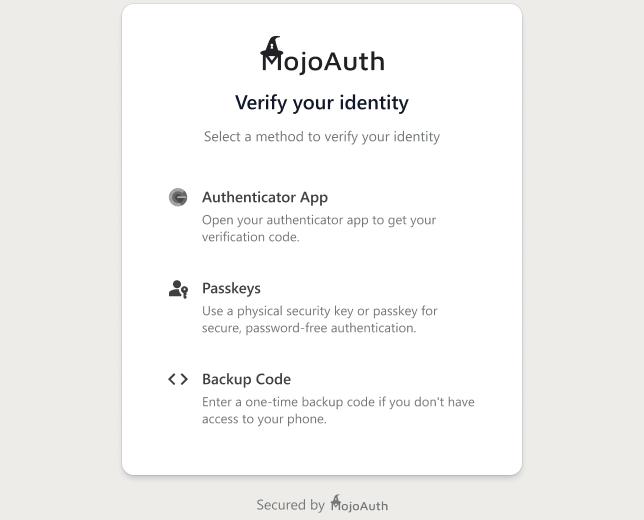
Secure and reliable multi-factor authentication with modern, passwordless options.
Choose from Email and SMS OTP, authenticator apps (TOTP), magic links, and passkeys (Face ID or fingerprint via WebAuthn)
Challenge users based on risk (High, Medium, Low) - adaptive MFA is available on Enterprise
Passwordless experience that’s secure, simple, and flexible
Deploy in hours, not months, with SDKs in 22+ languages
Guard against identity theft and account takeovers with advanced MFA layers
Ask for a second factor before payments, profile changes, or account recovery
A secure, passwordless authentication process in three simple steps
User initiates login using their identifier (email or username) on your platform
User completes a second factor such as an OTP, an authenticator code, a magic link, or a passkey
Once verified, the user is securely logged in without the need for a password
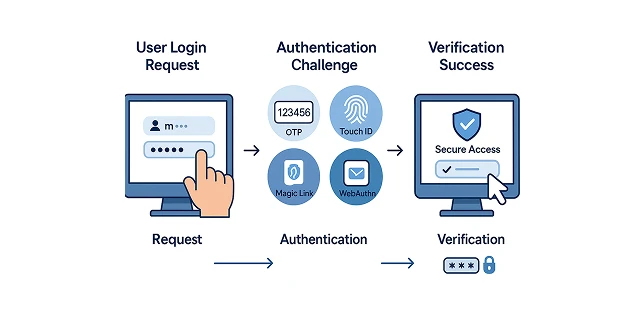
Implementing MFA with MojoAuth is seamless. Deploy in hours, not months, and secure your app with industry-standard methods like email OTP, Magic Link, or WebAuthn.
<!DOCTYPE html> <html> <head> <title>MojoAuth Phone OTP + Dummy MFA</title> <script charset="UTF-8" src="https://cdn.mojoauth.com/js/mojoauth.min.js"></script> </head> <body> <h2>Phone OTP Login + MFA Demo</h2> <div id="mojoauth-passwordless-form"></div> <script> const mojoauth = new MojoAuth("Your MojoAuth API Key", { language: "en", redirect_url: "https://yourwebsite.com/callback", source: [{ type: "phone", feature: "otp" }] }); // Start Phone OTP Sign-in mojoauth.signIn().then(response => { console.log("Phone OTP Response:", response); if (response && response.access_token) { // ✅ First factor success alert("Phone OTP verified. Now perform MFA step."); // ➡️ Dummy MFA step (e.g. TOTP code prompt) const mfaCode = prompt("Enter your MFA TOTP Code (dummy input for now):"); // Simulate verifying TOTP code if (mfaCode === "123456") { // replace with real backend call in production alert("MFA verification successful! Redirecting to dashboard..."); window.location.href = "/dashboard"; } else { alert("MFA verification failed. Access denied."); } } }).catch(error => { console.error("Phone OTP Authentication Error:", error); }); </script> </body> </html>
Why businesses and users choose MFA
Join forward-thinking companies enhancing account protection and reducing fraud with MojoAuth passwordless authentication.
Call +1-844-321-AUTH