Passwordless Security
Users on passkeys have no password to steal, reuse or reset
Passkeys are a FIDO2/WebAuthn-based passwordless authentication method that replaces passwords with cryptographic key pairs stored on the user's device, enabling biometric or PIN-based login with phishing-resistant security.
Let users sign in with Face ID or a fingerprint - faster signups, no passwords to reset, phishing-resistant by default. Passkeys are on Business Pro and Enterprise.
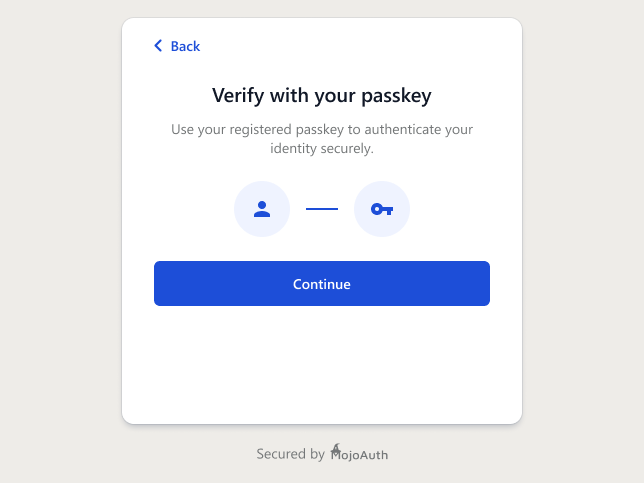
Discover why passkeys are the future of authentication
Users on passkeys have no password to steal, reuse or reset
Built on the industry-standard FIDO2 protocol for maximum compatibility
Leverage device biometrics like fingerprint and face recognition
Works across devices and platforms for a consistent experience
Domain-bound credentials prevent phishing attacks
One API alongside magic links, OTP and social login - deploy in hours, not months
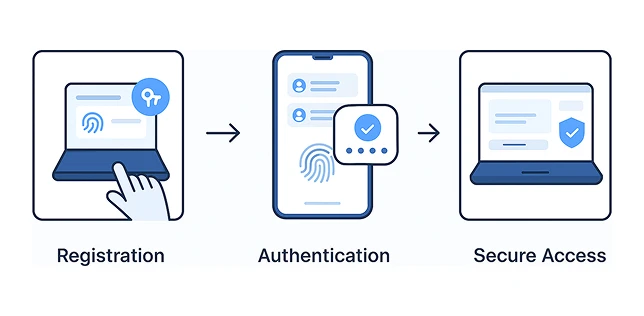
A simple, secure authentication flow for your users
User creates a passkey using their device's biometric or PIN
User selects their account and verifies with biometric or PIN
User gains immediate access to your application
Implementing passkeys with MojoAuth is straightforward. Our SDKs handle the complexity, so you can focus on building your application.
<!DOCTYPE html> <html lang="en"> <head> <meta charset="UTF-8" /> <title>Passkey Login with MojoAuth JS</title> <script src="https://cdn.mojoauth.com/js/mojoauth.min.js" charset="UTF-8"></script> </head> <body> <h2>Passkey Login Demo with MojoAuth JS</h2> <button id="passkeyLoginBtn">Login with Passkey</button> <script> // Initialize MojoAuth (not used for passkey here, but included per your request) const mojoauth = new MojoAuth("YOUR_MOJOAUTH_API_KEY", { language: 'en', redirect_url: "https://yourwebsite.com/callback", source: [] // No passwordless sources since we do Passkey manually }); // Dummy Passkey login using WebAuthn API async function loginWithPasskey() { try { // Static dummy challenge - in real apps, get from backend per session const challengeString = "dummyChallenge123456"; const publicKeyCredentialRequestOptions = { challenge: Uint8Array.from(challengeString, c => c.charCodeAt(0)), timeout: 60000, rpId: window.location.hostname, allowCredentials: [], // Accept any registered credential for this origin userVerification: "preferred" }; const assertion = await navigator.credentials.get({ publicKey: publicKeyCredentialRequestOptions }); console.log("Passkey assertion:", assertion); // Normally: send assertion to backend for verification here alert("Passkey login successful! Redirecting..."); window.location.href = "/dashboard"; } catch (error) { console.error("Passkey login failed:", error); alert("Passkey login failed or cancelled."); } } document.getElementById('passkeyLoginBtn').addEventListener('click', loginWithPasskey); </script> </body> </html>
Why businesses and users love passkeys authentication
Offer passkeys alongside magic links, email and phone OTP, social login and One Tap from one integration - with automatic fallback for devices without passkey support.
See every authentication methodBuilding on the WebAuthn API directly? Read WebAuthn & FIDO2 for Developers.
Faster signups, fewer password-reset tickets, phishing-resistant login - on the same API as magic links, OTP and social login.
Call +1-844-321-AUTH