Registration Drop-off
Long signup flows lose users before they see your app's value
Typing a password on a phone keyboard is where signups die. Let users sign in with Face ID, a code, a magic link or One Tap - faster signups, fewer reset tickets.
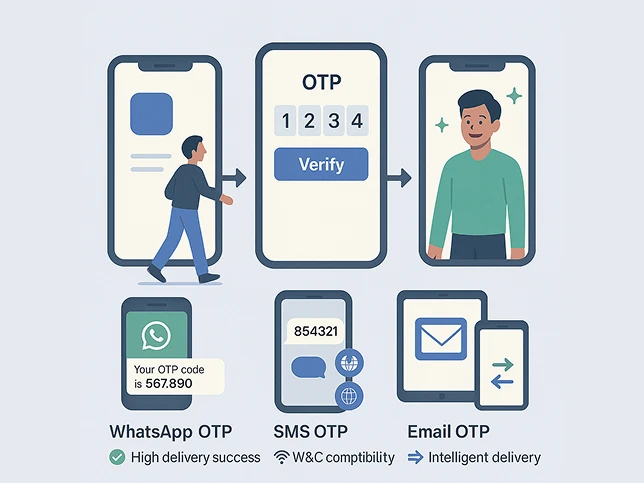
Mobile users expect instant access without remembering or typing passwords
Long signup flows lose users before they see your app's value
Password entry on a mobile keyboard is slow and error-prone
Users who can't log in stop opening your app - and reset requests pile up
The same login experience across iOS, Android and web
Login friction shows up directly in retention and daily active users
Every extra step between free and premium costs subscribers
One API for every passwordless method - pick the ones that fit your users
Users sign in with the biometric already on their phone. Phishing-resistant by default.
A short code by SMS, email or WhatsApp (Enterprise) for users who prefer codes.
A one-tap link by email - handy when users switch devices or reinstall your app.
Google One Tap plus Google, Apple and Facebook sign-in for signup in seconds.
Platform numbers that apply to every MojoAuth customer, not industry-specific promises.
Fewer password-reset support tickets
Authentication requests handled daily
Average API response time
Uptime SLA on Business Pro (99.99% on Enterprise)
What a typical rollout looks like for a consumer mobile app moving off passwords.
MojoAuth integrates with iOS, Android and cross-platform frameworks
<!DOCTYPE html> <head> <script charset="UTF-8" src="https://cdn.mojoauth.com/js/mojoauth.min.js"> </script> </head> <body> <div id="mojoauth-passwordless-form"></div> <script> const mojoauth = new MojoAuth("Your MojoAuth API Key", { language: 'language_code', redirect_url: "your_redirect_url", source: [ { type: "phone", feature: "otp" }, { type: "email", feature: "magiclink" }, ], }) mojoauth.signIn().then(response => console.log(response)); </script> </body> </html>
Faster signups and fewer reset tickets - passkeys, OTP, magic links and One Tap on one API.
Call +1-844-321-AUTH