SMS OTP vs Email OTP & Magic Link
SMS verifies a phone number and works for users without email at hand. Email OTP and Magic Link cost less per login and are on the Free plan - a good default where you already have the user's email.
SMS OTP gets almost anyone with a phone signed in, with nothing to install. It is also phishable and costs money per message. Here is when to use it, and what to pair it with.
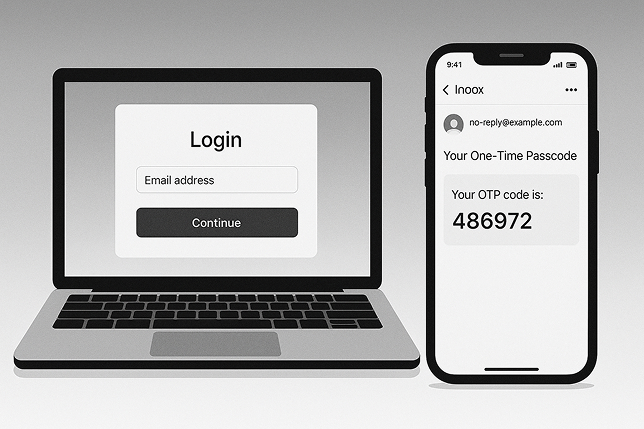
Where SMS OTP fits - and where another method on the same API does the job better.
SMS verifies a phone number and works for users without email at hand. Email OTP and Magic Link cost less per login and are on the Free plan - a good default where you already have the user's email.
Passkeys are phishing-resistant and need no message at all. Use SMS OTP for first sign-up and as the fallback on devices without passkey support.
Use an SMS code as a second factor on sensitive actions. Codes can be phished or intercepted, so prefer passkeys where the risk is high.
95% of codes delivered in under 3 seconds, minimizing friction during login.
Where SMS is costly or unreliable, WhatsApp OTP and Mobile Silent Auth (both on Enterprise) verify the same phone number with less friction.
Cut fake sign-ups by verifying a real phone number at registration.
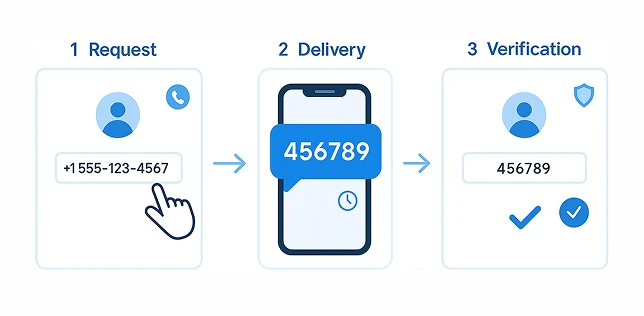
SMS OTP login in three steps:
The user provides their mobile number during sign-up or login.
A secure one-time passcode is sent to the phone by SMS.
The user enters the OTP, and upon validation, gets instant, secure access to the application.
SMS OTP is one method on the MojoAuth API. Turn it on next to passkeys, magic links and email OTP, and deploy in hours, not months. SMS OTP (Phone OTP) is on Business Pro and Enterprise.
{ "phone": "+1234567890", "otp": "123456", "method": "sms" }
Why businesses and users choose SMS OTP authentication for secure and convenient access.
Ready to build? See Phone OTP (SMS), or compare every method on the same API.
See every authentication methodOffer SMS OTP where it fits and passkeys, magic links or email OTP where they fit better - on one API. Deploy in hours, not months.
Call +1-844-321-AUTH